
Cart
0

Introduction
Moving under night vision is not the same as moving in daylight.
Even a high-quality dual-tube night vision goggle changes how the user sees distance, speed, obstacles and the surrounding environment.
Compared with a monocular, dual-tube NVGs can provide a more natural binocular image and improve depth perception. This can make walking, navigating uneven terrain and judging the position of nearby objects feel more intuitive.
However, dual tubes do not completely restore normal human vision.
Most conventional binocular NVGs still present the world through a relatively narrow field of view. The image is monochromatic, contrast depends on ambient light, and optical alignment must be accurate across both channels. Shadows, low-texture terrain and poorly focused optics can still make distance difficult to judge.
Mastering dual-tube NVGs therefore requires more than buying a second image intensifier tube.
It requires:
-
Correct device setup
-
Proper optical alignment
-
Deliberate scanning
-
Understanding binocular and monocular depth cues
-
Controlled movement practice
-
Awareness of limited peripheral vision
-
Realistic expectations about what NVGs can and cannot show
This guide explains how depth perception works under dual-tube night vision, why spatial awareness can still fail, and how users can build safer, more confident movement habits.
To compare current binocular platforms, begin with the dual-tube night vision binocular collection.
Why Dual-Tube NVGs Feel More Natural Than a Monocular
A monocular night vision device presents an intensified image to one eye while the other eye remains unaided.
This can be effective, lightweight and versatile, but the brain must combine two very different visual inputs:
-
An intensified image from one eye
-
A dark or partially adapted image from the other
With a dual-tube NVG, both eyes receive intensified imagery.
This gives the brain more consistent information and can improve:
-
Distance estimation
-
Obstacle avoidance
-
Terrain interpretation
-
Hand–eye coordination
-
Movement confidence
-
Long-duration viewing comfort
The difference is particularly noticeable when moving through uneven terrain or working around objects at short and intermediate distances.
However, the benefit depends on both optical channels being properly focused, aligned and matched.
Two tubes do not automatically guarantee good binocular vision.
How Human Depth Perception Works
The brain estimates depth using several different visual cues.
Some require both eyes. Others can work with only one eye.
Understanding these cues helps explain why dual-tube NVGs improve depth perception without fully recreating daylight vision.
Binocular Disparity
Each eye normally views the world from a slightly different position.
The brain compares the two images and uses their small differences to estimate depth. This process is commonly called stereopsis.
A properly aligned dual-tube NVG provides separate optical channels for the left and right eyes, allowing the brain to use more binocular information than it receives from a single monocular.
This is one reason nearby obstacles and terrain changes may feel easier to judge under dual tubes.
Convergence
When looking at a nearby object, the eyes rotate inward.
The brain can use this eye position as another distance cue.
NVG setup, eye relief and optical alignment can affect how naturally convergence works. If the eyepieces are positioned poorly or the image channels feel misaligned, nearby viewing may become uncomfortable.
Relative Size
When two familiar objects are similar in actual size, the smaller-looking object is usually perceived as farther away.
This cue remains useful under both monocular and binocular night vision.
Occlusion
When one object blocks part of another, the blocking object is interpreted as being closer.
Branches, rocks, barriers and people can provide useful occlusion cues even when stereoscopic detail is limited.
Linear Perspective
Parallel lines appear to move closer together in the distance.
Road edges, corridors, fences and building lines can help the user estimate direction and distance.
Texture Gradient
Nearby terrain usually shows more texture and detail.
Farther terrain appears smoother and more compressed.
Low-resolution images, heavy noise or weak ambient light can reduce this cue.
Motion Parallax
When the user moves their head, nearby objects appear to move across the visual field faster than distant objects.
Small, controlled head movements can therefore provide valuable information about the position of obstacles.
Motion parallax remains useful even when binocular depth cues are weak.
Dual Tubes Improve Depth Perception—but Do Not Normalize It
A dual-tube system can provide stronger depth cues than a monocular, but several limitations remain.
The Image Is Still Intensified
The user is looking at a processed phosphor image rather than directly at the environment.
Brightness, noise and contrast depend on the tube and available light.
The Field of View Is Restricted
Many conventional binocular NVGs provide approximately 40 degrees of field of view.
Normal human peripheral vision is much wider.
This creates a tube-like or tunnel-style visual experience that requires active head movement.
Focus Is Not Automatic
Most analog NVGs do not instantly refocus from a nearby object to distant terrain.
The objective focus setting determines which distance range appears sharp.
Colors Are Removed
P43 green phosphor and P45 white phosphor present monochromatic images.
Users cannot rely on normal color differences to separate objects.
Contrast Can Be Misleading
A dark hole, shadow, water surface or change in elevation may not produce enough contrast to appear obvious.
Tube and Optical Alignment Matter
Image disparity, poor collimation or unequal optical distortion can make the two images difficult for the brain to combine.
Dual tubes improve the available visual information.
Training teaches the user how to interpret that information correctly.
The 40-Degree Field-of-View Problem
One of the biggest limitations of conventional dual-tube NVGs is restricted field of view.
For example, the PVS-31 NNVT NVT5 Gen2+ FOM1600+ Autogate P45 lists a 40°±2° field of view with 1× magnification.
This central image can feel immersive because both eyes receive it, but objects outside that cone are not visible through the tubes.
Without deliberate scanning, the user may miss:
-
Low branches
-
Side obstacles
-
Nearby people
-
Uneven terrain
-
Door frames
-
Equipment near the feet
-
Movement at the edge of the normal visual field
Dual-tube depth perception and peripheral awareness are separate capabilities.
A binocular system can improve depth within the visible image while still limiting awareness outside it.
Why Head Scanning Is Essential
In daylight, the eyes can shift rapidly while peripheral vision continues monitoring the larger scene.
Under standard NVGs, the user must move the head more deliberately because the visible intensified area is limited.
A useful scan should include:
-
Center
-
Left
-
Right
-
Near ground
-
Mid-distance
-
Far distance
-
Overhead obstacles where relevant
The scan should be smooth rather than rushed.
Moving the head too quickly can cause the user to miss narrow objects or create a fragmented understanding of the scene.
A practical pattern is:
-
Look ahead at the intended route.
-
Scan the ground several steps in front.
-
Check both sides.
-
Return to the route.
-
Repeat as the user moves.
The exact scan pattern should match the environment. Dense terrain requires more frequent side and ground checks than a clear open path.
Avoid NVG Fixation
Fixation occurs when the user concentrates on one object or one part of the intensified image for too long.
This can happen because:
-
The image appears unusually clear
-
A bright object attracts attention
-
Thermal or digital information is present
-
The user focuses on a distant landmark
-
A complex task consumes attention
While fixated, the user may stop scanning the surrounding environment.
This reduces spatial awareness even though the device itself is working correctly.
To reduce fixation:
-
Keep the head moving through a deliberate scan
-
Recheck the near ground regularly
-
Alternate between near and far references
-
Pause before entering a more complex area
-
Avoid staring continuously at the brightest object
-
Use other available information rather than relying on one visual cue
Better image quality does not eliminate fixation.
In some cases, a highly compelling image makes fixation more likely.
Near, Middle and Far Scanning
A useful way to organize NVG scanning is to divide the scene into three distance zones.
Near Zone
The near zone includes the area immediately around the user.
Check it for:
-
Foot placement
-
Small obstacles
-
Low steps
-
Loose equipment
-
Branches
-
Changes in ground height
The near zone can become blurry when the objective lenses are focused at a longer distance.
Do not assume that something is safe simply because it is not sharply visible.
Middle Zone
The middle zone is often the most important for walking and navigation.
It includes:
-
The next section of the route
-
Medium-distance obstacles
-
Other people
-
Doorways
-
Terrain transitions
This area provides time to adjust speed and direction before reaching an obstacle.
Far Zone
The far zone supports orientation.
It may include:
-
Buildings
-
Tree lines
-
Roads
-
Coastlines
-
Large terrain features
-
Distant lights
A user who watches only the far zone may miss nearby hazards.
A user who watches only the ground may lose direction.
Effective spatial awareness requires cycling between all three.
Focus Settings and Depth Judgment
Objective focus affects which parts of the scene appear sharp.
A longer-distance focus may make distant terrain clear while leaving nearby objects soft.
A closer focus may help with detailed work while making the larger environment blurry.
This creates an important limitation:
A blurred nearby object can appear less important or farther away than it actually is.
Before movement, select a focus distance appropriate for the environment.
For general navigation, many users choose a setting that prioritizes the route ahead rather than extremely close objects.
For close work, the focus may need to be adjusted temporarily.
Users should become familiar with:
-
How much focus rotation is required
-
How quickly focus can be changed
-
Which distances remain acceptably clear
-
How each eye responds
-
Whether both objective lenses are set consistently
Do not rely only on apparent sharpness when judging distance.
Use motion, relative size, overlap and body movement as additional cues.
Why Correct Diopter Adjustment Matters
The objective lens focuses the outside environment onto the image intensifier tube.
The diopter adjusts the eyepiece image for the user’s eyesight.
An incorrect diopter setting can cause:
-
Soft phosphor-screen detail
-
Eye fatigue
-
Difficulty merging both images
-
Unequal clarity between eyes
-
Reduced depth confidence
-
Headaches during extended use
Each eye should be adjusted separately.
A common setup principle is:
-
Set the objective lenses toward a suitable reference distance.
-
Adjust each diopter until the screen detail appears sharp to that eye.
-
Recheck the complete binocular image.
-
Confirm that neither eye feels as though it is working harder than the other.
Exact procedures depend on the device, so users should follow the manufacturer’s instructions.
Diopters should not be used to compensate for an incorrectly focused objective lens.
Interpupillary Distance and Eye Position
Interpupillary distance is the distance between the centers of the pupils.
The NVG eyepieces must align correctly with the user’s eyes.
Poor alignment can cause:
-
Partial circular images
-
Dark edge shadows
-
Reduced usable field of view
-
Eye strain
-
Difficulty combining the two channels
-
Inconsistent spatial judgment
The device should be positioned so both eyes receive complete, centered images without requiring the user to hold an unnatural head position.
Check:
-
Helmet position
-
Mount height
-
Fore-and-aft adjustment
-
Tilt
-
Pod angle
-
Eyepiece spacing
-
Eye relief
The ARGUS A4 Lightweight Night Vision Mount provides vertical, fore-and-aft and tilt adjustment for compatible dovetail-equipped NVGs.
A better mount position can improve perceived image quality even when the tubes and lenses have not changed.
Collimation and Image Disparity
Collimation describes the alignment of the optical channels.
In a properly collimated binocular system, the two images should combine comfortably.
Poor collimation or image disparity can cause:
-
Double-image sensation
-
Eye strain
-
Headaches
-
Reduced depth perception
-
Difficulty maintaining focus
-
Uncomfortable long-duration viewing
-
Loss of movement confidence
The user may not always see an obvious double image.
Sometimes one eye simply feels more tired, or the scene feels visually unstable.
Potential causes include:
-
Improper assembly
-
Housing misalignment
-
Optical component movement
-
Unequal eyepiece positioning
-
Tube placement problems
-
Mechanical damage
If the two images do not merge naturally after correct fit and focus adjustment, stop using the device for demanding movement and have it professionally inspected.
Do not attempt to solve a collimation problem only by repeatedly changing the diopters.
Tube Matching and Spatial Comfort
A binocular system contains two separate image intensifier tubes.
The tubes do not need to have mathematically identical specifications, but major differences can make viewing less comfortable.
Important matching factors include:
-
Brightness
-
Gain
-
Signal-to-noise ratio
-
Resolution
-
EBI
-
Halo
-
Phosphor tone
-
Image cosmetics
-
Autogating behavior
If one side appears much brighter, noisier or softer than the other, the brain may favor one eye.
This can reduce the binocular advantage.
A balanced pair can make the image feel more stable and natural, especially during extended use.
Tube options can be compared through the Image Intensifier Tube collection.
Lens Quality and Edge Distortion
Depth perception depends on both eyes receiving geometrically consistent images.
If one optical path has stronger distortion than the other, objects may appear to change shape or position as the user scans.
Possible symptoms include:
-
Curved straight lines
-
Edge stretching
-
Unequal magnification
-
Swimming or rolling image
-
Difficulty judging side obstacles
-
Visual discomfort during head movement
This is why a dual-tube system needs more than two good tubes.
It needs two well-matched optical paths.
The guide What Causes Distortion in NVGs? explains how lens design, alignment and optical consistency can affect binocular comfort and terrain judgment.
Why 1× Magnification Is Important
Helmet-mounted NVGs intended for movement normally use approximately 1× magnification.
This helps preserve a more natural relationship between:
-
Head movement
-
Apparent object movement
-
Hand position
-
Walking speed
-
Environmental scale
Even small magnification differences can make movement feel less natural.
If one channel magnifies slightly differently from the other, the brain may struggle to combine the images comfortably.
Users should therefore avoid mixing incompatible objective or eyepiece components in a binocular build.
Both channels should use compatible optics designed to provide consistent magnification and image geometry.
Helmet Balance Affects Spatial Awareness
Helmet balance is often discussed as a comfort issue, but it can also affect visual control.
A front-heavy helmet may:
-
Pull the goggles out of position
-
Change eye relief while moving
-
Cause the image circles to shift
-
Increase neck fatigue
-
Make smooth scanning more difficult
-
Encourage the user to hold the head unnaturally
When eye position changes, the perceived image may change with it.
A rear battery pack or properly selected counterweight can help stabilize the helmet.
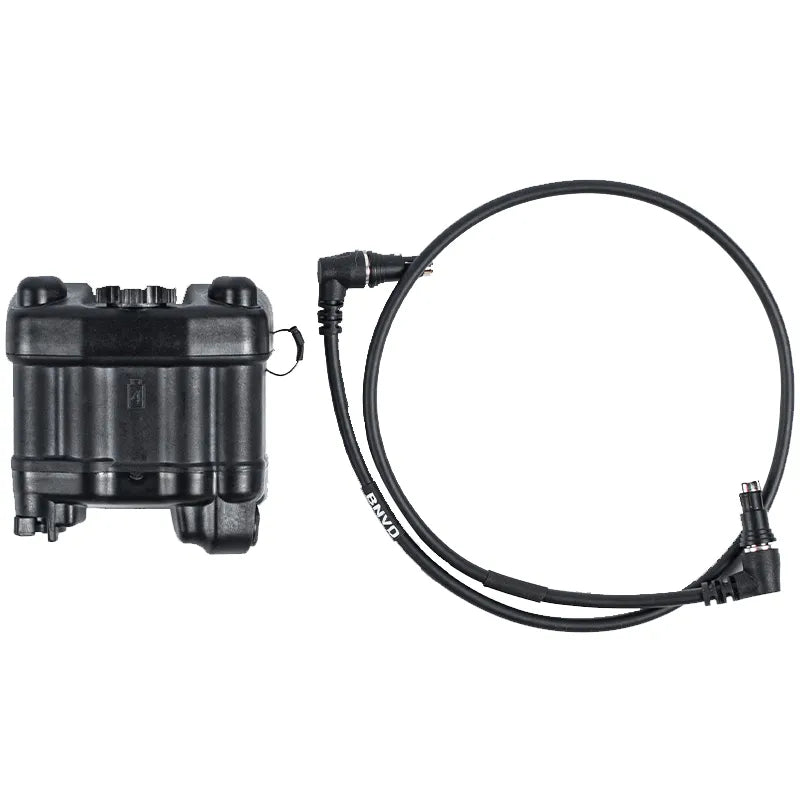
The ARGUS Universal Strobe Battery Pack can supply compatible NVGs through the appropriate cable while serving as functional rear helmet weight.
The goal is not to make the helmet heavier.
The goal is to distribute the required weight more evenly.
Pod Articulation and Single-Eye Transitions
Articulating binocular systems allow each optical pod to move independently.
The BNVD-1431 MK2 housing kit, for example, uses independently articulating optical pods.
This can help users:
-
Move one pod away for unaided viewing
-
Adapt to changing light
-
Reduce profile during storage
-
Transition temporarily between binocular and monocular viewing
However, lifting one pod changes depth perception immediately.
The user moves from binocular intensified imagery to a mixed visual condition.
During this transition:
-
Slow down
-
Reassess distance
-
Avoid assuming that the previous depth judgment remains accurate
-
Allow the eyes and brain time to adapt
-
Recheck nearby obstacles
Pod articulation is useful, but the user should practice the visual transition before relying on it in a complex environment.
Training Progression for Dual-Tube NVGs
Training should begin in a controlled environment.
Do not start with difficult terrain, high speed or complex tasks.
Stage 1: Static Setup
Practice:
-
Helmet fit
-
Mount adjustment
-
Diopter setup
-
Objective focus
-
Gain control where available
-
Pod articulation
-
Device controls
Confirm that the image feels centered and comfortable before moving.
Stage 2: Stationary Distance Judgment
Use familiar, nonhazardous objects at several known distances.
Compare:
-
Apparent size
-
Overlap
-
Texture
-
Clarity
-
Motion parallax created by small head movements
The goal is to learn how familiar distances appear through the device.
Stage 3: Slow Walking on Clear Ground
Begin on a flat, obstacle-free route.
Practice:
-
Looking ahead rather than only at the feet
-
Near-middle-far scanning
-
Smooth head movement
-
Stable walking pace
-
Controlled turns
Stage 4: Low Obstacles
Add clearly visible, low-risk objects such as marked steps or soft barriers in a controlled training area.
Move slowly and use supervision where appropriate.
Stage 5: Terrain Transitions
Practice moving between:
-
Flat and uneven surfaces
-
Open and textured terrain
-
Brighter and darker areas
-
Wide and narrow spaces
Stage 6: Extended Wear
Increase duration gradually.
Observe whether fatigue changes:
-
Scan discipline
-
Focus
-
Head position
-
Foot placement
-
Decision speed
Training should build accurate habits, not encourage unnecessary speed.
Navigating Steps and Changes in Elevation
Steps, curbs, holes and slopes can be difficult under NVGs because their appearance depends heavily on shadows and contrast.
A step may disappear if its upper and lower surfaces have similar brightness.
Before stepping onto an uncertain surface:
-
Slow down
-
Scan the edge from more than one angle
-
Use small head movements to create motion parallax
-
Look for texture changes
-
Use a handrail or stable support where available
-
Confirm with appropriate lighting when necessary
Do not assume that binocular depth perception makes every elevation change obvious.
Low-contrast terrain remains one of the most important NVG hazards.
Moving Through Doorways and Narrow Spaces
Door frames and nearby side obstacles often fall outside the central NVG field of view.
Users may focus on the open space ahead while missing:
-
The edge of the frame
-
Overhead obstacles
-
Equipment extending from the body
-
Nearby furniture
-
Another person approaching from the side
Before entering a narrow space:
-
Reduce speed.
-
Scan both sides.
-
Check overhead clearance.
-
Recenter the route.
-
Avoid looking only through the middle of the opening.
Spatial awareness requires building a mental map from several scans rather than relying on one frozen view.
Why Speed Reduces Depth Accuracy
As movement speed increases, the time available to interpret visual cues decreases.
The user must process:
-
Ground texture
-
Obstacle position
-
Head movement
-
Limited peripheral information
-
Changing focus
-
Body balance
A dual-tube system may make movement feel more natural, which can tempt the user to move faster than their actual skill level supports.
Confidence may improve before judgment accuracy does.
Increase speed only after the user can maintain:
-
Consistent scanning
-
Stable foot placement
-
Route awareness
-
Comfortable depth judgment
-
Correct reaction to unexpected obstacles
The goal is not to prove how quickly the user can move under NVGs.
The goal is to maintain reliable spatial awareness.
Low-Contrast Terrain and Visual Illusions
Some environments provide weak visual depth cues.
Examples include:
-
Calm water
-
Snow
-
Sand
-
Flat open ground
-
Uniform walls
-
Dense fog
-
Heavy rain
-
Featureless darkness
When texture, shadows and familiar objects disappear, both monocular and binocular depth perception become less reliable.
The brain may misjudge:
-
Distance
-
Slope
-
Surface height
-
Closing speed
-
Horizon position
In these conditions:
-
Slow down
-
Use several visual references
-
Avoid relying on a single bright point
-
Use other approved sensors or illumination
-
Reassess when the environment changes
-
Stop when the available visual information is insufficient
Dual tubes cannot create depth cues that the environment does not provide.
Mixed Lighting and Autogating
Spatial awareness may change suddenly when the user encounters:
-
Vehicle lights
-
Flashlights
-
Building lights
-
Reflective surfaces
-
Emergency lighting
-
Strong IR illumination
Bright sources can produce halo, blooming and loss of nearby detail.
Autogated tubes can help maintain a more controlled image as lighting changes.
The PVS-31 NVT5 autogated binocular is one example of a dual-tube system configured around autogated image intensifiers.
Autogating improves light management, but it does not eliminate:
-
Glare
-
Halo
-
Reflections
-
Hidden shadows
-
Temporary loss of contrast
Users should slow down when transitioning between very dark and brightly illuminated areas.
P43 Green vs P45 White Phosphor
Phosphor color can affect how the scene feels, but it does not directly determine whether the user has good depth perception.
P43 Green Phosphor
Some users prefer green because it feels bright, familiar and traditional.
P45 White Phosphor
Many users prefer white phosphor because the grayscale-style image can make edges and shapes feel easier to interpret during long sessions.
The more important factors for binocular spatial comfort are often:
-
Tube matching
-
SNR
-
Focus
-
Collimation
-
Optical distortion
-
Helmet setup
-
User preference
For a full comparison, read P43 Green Phosphor vs P45 White Phosphor.
Dual Tubes vs Panoramic Night Vision
Standard binocular NVGs improve binocular depth perception, but they generally retain a limited central field of view.
Panoramic night vision uses additional optical channels to provide much wider scene coverage.
A panoramic system may improve:
-
Peripheral awareness
-
Motion detection
-
Wide-area scanning
-
Awareness of nearby objects
However, panoramic systems also add:
-
Weight
-
Cost
-
Power demand
-
Four-tube matching requirements
-
Optical complexity
-
More specialized maintenance
Dual tubes and panoramic NVGs solve different problems.
Dual tubes mainly improve binocular viewing and practical movement.
Panoramic systems mainly expand field of view.
For more detail, read Is the PNVG-18 Housing Kit Worth the Investment?.
Signs Your Dual-Tube Setup Needs Adjustment or Inspection
Stop and reassess the setup if you experience:
-
Persistent headaches
-
Double-image sensation
-
One eye becoming significantly more tired
-
Inability to merge both images
-
Unequal image size
-
Strong brightness mismatch
-
Different focus behavior between channels
-
Image movement when the mount shifts
-
Reduced depth confidence after a drop or impact
-
New distortion or edge displacement
First check:
-
Helmet position
-
Mount adjustment
-
Eye relief
-
Interpupillary alignment
-
Objective focus
-
Diopters
If the problem remains, the system may need professional optical inspection or collimation.
Do not continue demanding movement while assuming the brain will eventually adapt to a mechanically misaligned device.
Dual-Tube NVG Spatial-Awareness Checklist
Before use:
-
Confirm that both tubes power on normally.
-
Inspect for unexpected spots, shading or image disparity.
-
Set each diopter separately.
-
Set objective focus for the planned environment.
-
Center both eyepieces in front of the eyes.
-
Adjust mount height, tilt and eye relief.
-
Confirm that the helmet remains stable.
-
Check battery condition.
-
Clean the lenses.
-
Review the limits of the environment.
During use:
-
Scan near, middle and far zones.
-
Move the head instead of relying on peripheral vision.
-
Use small position changes to improve motion parallax.
-
Slow down near elevation changes.
-
Reassess after changing focus or lifting one pod.
-
Avoid staring at one bright object.
-
Maintain a speed supported by the visible information.
-
Stop when depth cues are insufficient.
After use:
-
Record any eye strain or image mismatch.
-
Inspect the mount and optical pods.
-
Install lens protection.
-
Check for new damage or contamination.
-
Arrange professional inspection if alignment feels abnormal.
Frequently Asked Questions
Do Dual-Tube NVGs Provide True Depth Perception?
They provide stronger binocular depth cues than a monocular and can make movement feel more natural. However, restricted field of view, monochromatic imagery, focus limitations and low-contrast environments mean the experience is not identical to normal daylight vision.
Why Do I Still Misjudge Steps with Dual Tubes?
Steps may lack sufficient contrast, fall outside the sharp focus range or be hidden by shadows. Binocular viewing helps, but it cannot guarantee that every elevation change will be obvious.
Can Better Tubes Improve Depth Perception?
Better SNR, resolution and contrast can make environmental details easier to interpret. However, tube specifications cannot correct poor collimation, incompatible optics or incorrect helmet positioning.
Does a Wider Lens FOV Improve Spatial Awareness?
A wider field can provide more scene coverage, but image quality, edge distortion and compatibility still matter. The BNVD-1431 MK2 housing supports compatible 40-degree and certain wider commercial lens options, depending on the final configuration.
Why Does One Eye Feel More Tired?
Possible causes include incorrect diopter adjustment, brightness mismatch, unequal focus, poor eye positioning, tube mismatch or collimation problems. Persistent discomfort should be professionally evaluated.
Are Dual Tubes Always Better Than a PVS-14?
Dual tubes generally provide better binocular depth cues and movement comfort, but they cost more, use more power and add helmet weight. A PVS-14 remains lighter and more versatile. Read PVS-14 vs PVS-31 for a complete comparison.
Final Thoughts
Dual-tube NVGs can significantly improve depth perception and movement comfort compared with monocular night vision.
By providing an intensified image to both eyes, they allow the brain to use more binocular information when estimating distance and understanding spatial relationships.
But dual tubes do not remove the fundamental limitations of night vision.
Users still face:
-
Restricted field of view
-
Monochromatic imagery
-
Limited close-focus performance
-
Reduced contrast in difficult environments
-
Potential tube or optical mismatch
-
Dependence on correct helmet positioning
-
Need for deliberate head scanning
Mastering spatial awareness under dual tubes begins with a properly fitted and optically aligned system.
It continues through controlled practice:
-
Learn how familiar distances appear.
-
Scan near, middle and far zones.
-
Use motion parallax and environmental texture.
-
Slow down around uncertain terrain.
-
Recheck the scene after changing focus or pod configuration.
-
Treat persistent eye strain as a warning rather than a normal part of NVG use.
The strongest advantage of dual-tube night vision is not that it makes darkness look exactly like daylight.
It is that it gives both eyes enough consistent information to make nighttime movement more natural, efficient and manageable.
When paired with good optics, matched tubes, a stable mount and disciplined training, dual-tube NVGs can provide a major improvement in depth judgment and spatial awareness without encouraging the user to forget the limitations that remain.